Grocery Inventory Tracker
An inventory management system for a grocery store, built with ASP.NET Core and SQL Server. It has role-based access, an audit log, automated tests, and a CI/CD pipeline that publishes a Docker image.
- Role
- Solo: design, build, test, deploy
- Stack
- C# · .NET 10 · ASP.NET Core · EF Core · SQL Server
- Quality
- 91 xUnit tests, run in CI on every push
- Ops
- Docker Compose · GitHub Actions → GHCR · Cloudflare
Background
A grocery store needs to know what’s out of stock, what’s running low, and what expires soon. Staff also need different permissions: anyone can look up products, employees receive shipments, and only administrators change the catalog or user accounts.
I also used the project to practice things beyond basic CRUD: access control with tests around it, an audit log of who changed what, and an automated build and deployment process.
Architecture
It uses a conventional layered Razor Pages design. Pages handle routing, validation, and[Authorize] gates, and contain no business logic. A service layer owns all Entity Framework Core access, and every write also goes through the audit service.
What it does
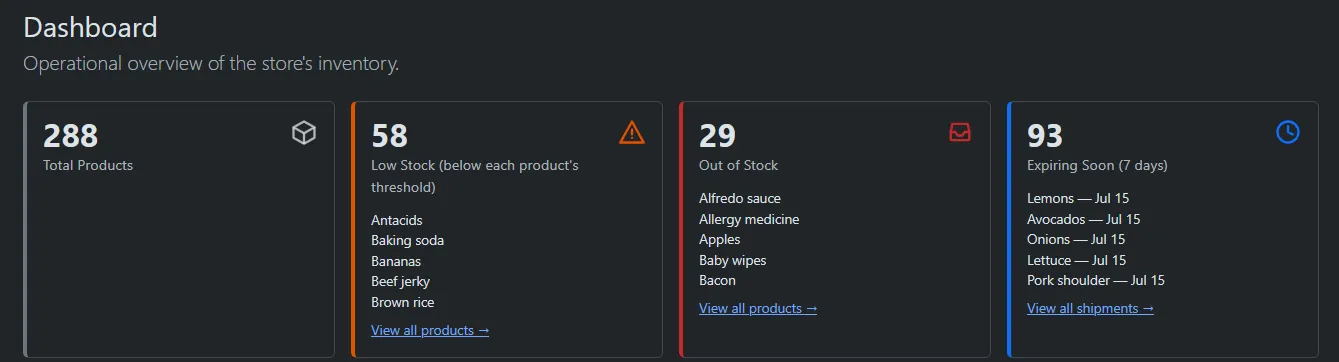
Operational dashboard
Out-of-stock, low-stock, and expiring-soon counts with the affected products listed, all computed with grouped queries (no N+1 lookups).
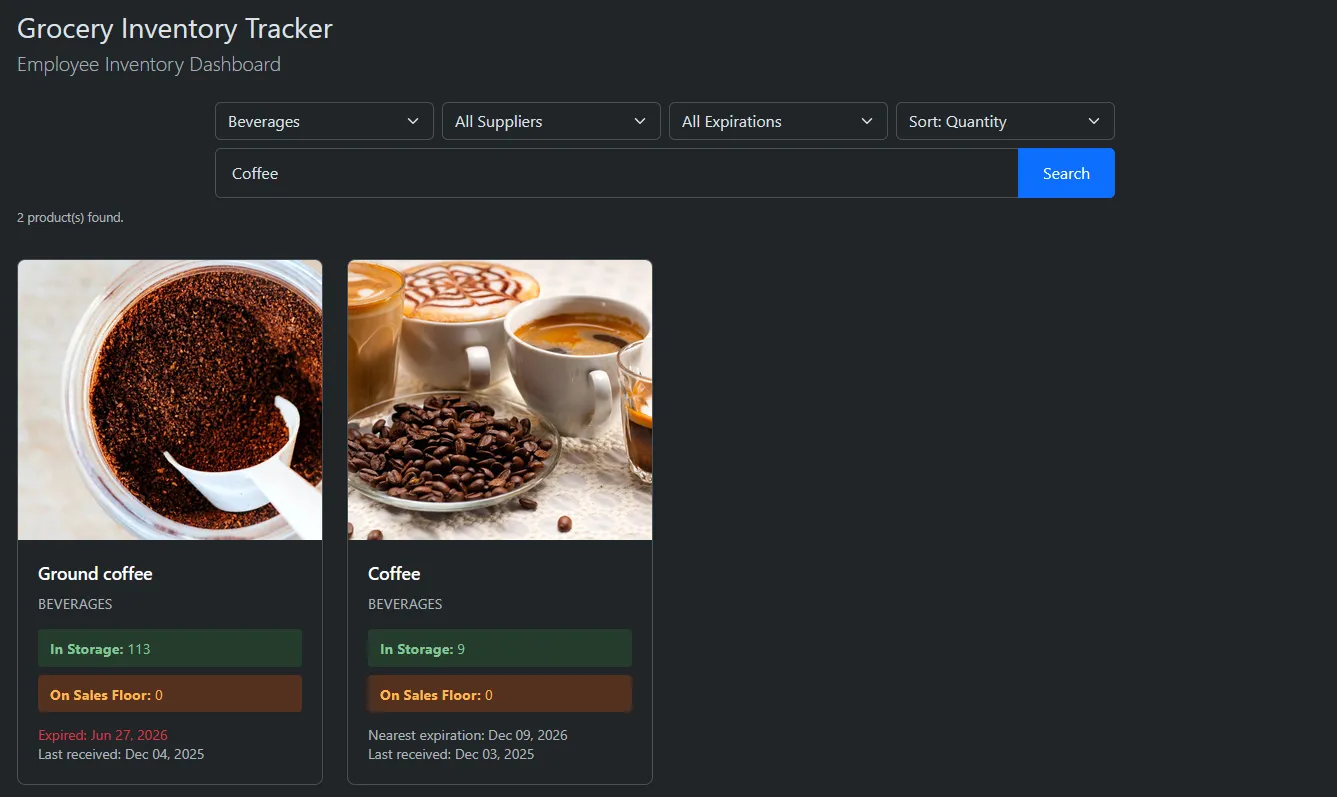
Search, filter & sort
Combinable name search, category, supplier, and expiration-window filters, with stable sorting and pagination that keeps every active filter.
Shipment management
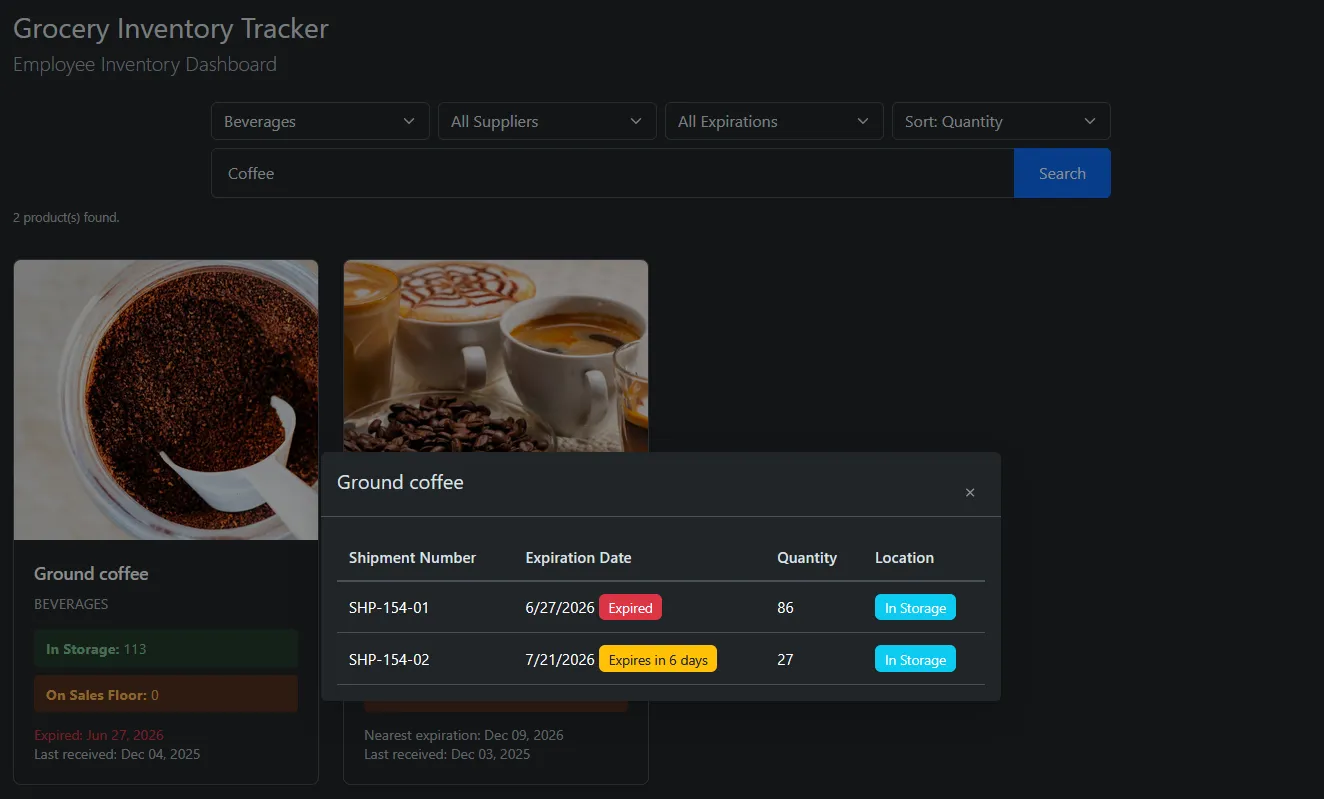
Employees receive and edit shipments, track expiration per shipment, and move stock between storage and the sales floor.
QR labels & scanning
Each shipment gets a printable QR label. Scanning it with a phone camera, decoded in the browser, opens the shipment so stock can be moved to the floor or back to storage.
Audit trail
Every inventory and account change is recorded with who, what, and when. Entries survive account deletion because the actor is stored by name.
Accounts & theming
Sign-up and login, identicon or uploaded avatar, and a per-user light/dark theme saved on the server.
Security & access control
Passwords are salted and hashed with PBKDF2-SHA256 (100,000 iterations), and sessions use ASP.NET Core cookie authentication. Roles are enforced with [Authorize(Roles = …)] on every page model, not by hiding nav links. New sign-ups default to Guest, and only an Administrator can promote them.
| Action | Guest | Employee | Admin |
|---|---|---|---|
| Browse catalog & dashboard | Allowed | Allowed | Allowed |
| Receive / edit shipments | — | Allowed | Allowed |
| Manage products, categories, suppliers | — | — | Allowed |
| Manage users & roles | — | — | Allowed |
| View audit history | — | — | Allowed |
Testing & delivery
91 xUnit tests cover the service layer against a real relational SQLite database, the claims issued at sign-in, and database correctness. One of them checks that the EF Core model has no pending changes, and another applies the real migration files to a live SQL Server.
One test uses reflection to check authorization. It finds every page model and asserts that each one still has exactly the [Authorize] gate it’s supposed to have. If a later change removes or loosens one, CI fails.
- 1Restore & build
- 2Run the full test suite on Windows with SQL Server Express
- 3Publish the app & upload artifacts
- 4On merge to
main: build the Docker image, push to GHCR
Locally, docker compose up starts the app and SQL Server together. A healthcheck makes the web container wait until the database accepts logins, and a named volume keeps the data.
Live demo
New accounts are Guests, which can browse the catalog and dashboard.